Speaking about Perlbrew and Carton Tuesday 9 October 2012

I’m excited to be speaking at the Boston Perl Mongers meeting this Tuesday 9 October 2012. I”ll post slides and a summary next week but I thought that I’d post an abstract here as a teaser.  If you’re in Boston and are interested in attending the talk information on  the Boston Perl Mongers meetings is available here.


Abstract:

Managing Complexity With Perlbrew and Carton

Deploying Perl programs to multiple systems can be challenging.  Even when they run the same operating system version, different systems often contain different versions of the same CPAN modules. Different module versions are often incompatible in subtle ways that may not be detected immediately. In the worst case, software works fine on the development machines but malfunctions in production.

Things are even more complicated when deploying to different operating systems or different versions of the same operating system.  Different distribution versions may contain different version of the system Perl and on many systems, the distributed Perl version lags the latest release. Writing for the oldest Perl version on all deployment systems means missing out of newer features, which reduces programmer productivity, and makes code less readable and reliable. Perl has excellent backwards compatibility but some differences still exist.  Ubuntu LTS versions are often still in use after the Perl they distribute is no longer supported by the Perl community. Because Perl is deeply integrated into Debian and Ubuntu systems, vendor patches are usually limited to security issues, and manually upgrading the system Perl is difficult and risky. Thus users of older distributions may encounter program cashes due to internal bugs in a system Perl that they cannot patch nor upgrade.

This talk will show how Perlbrew and Carton can be used to address these problems. I will discuss how the Media Cloud project used Perlbrew and Carton to decouple the system Perl from the application’s Perl and achieve a consistent environment across different machines running different operating systems.

My Tumblr Blender Blog

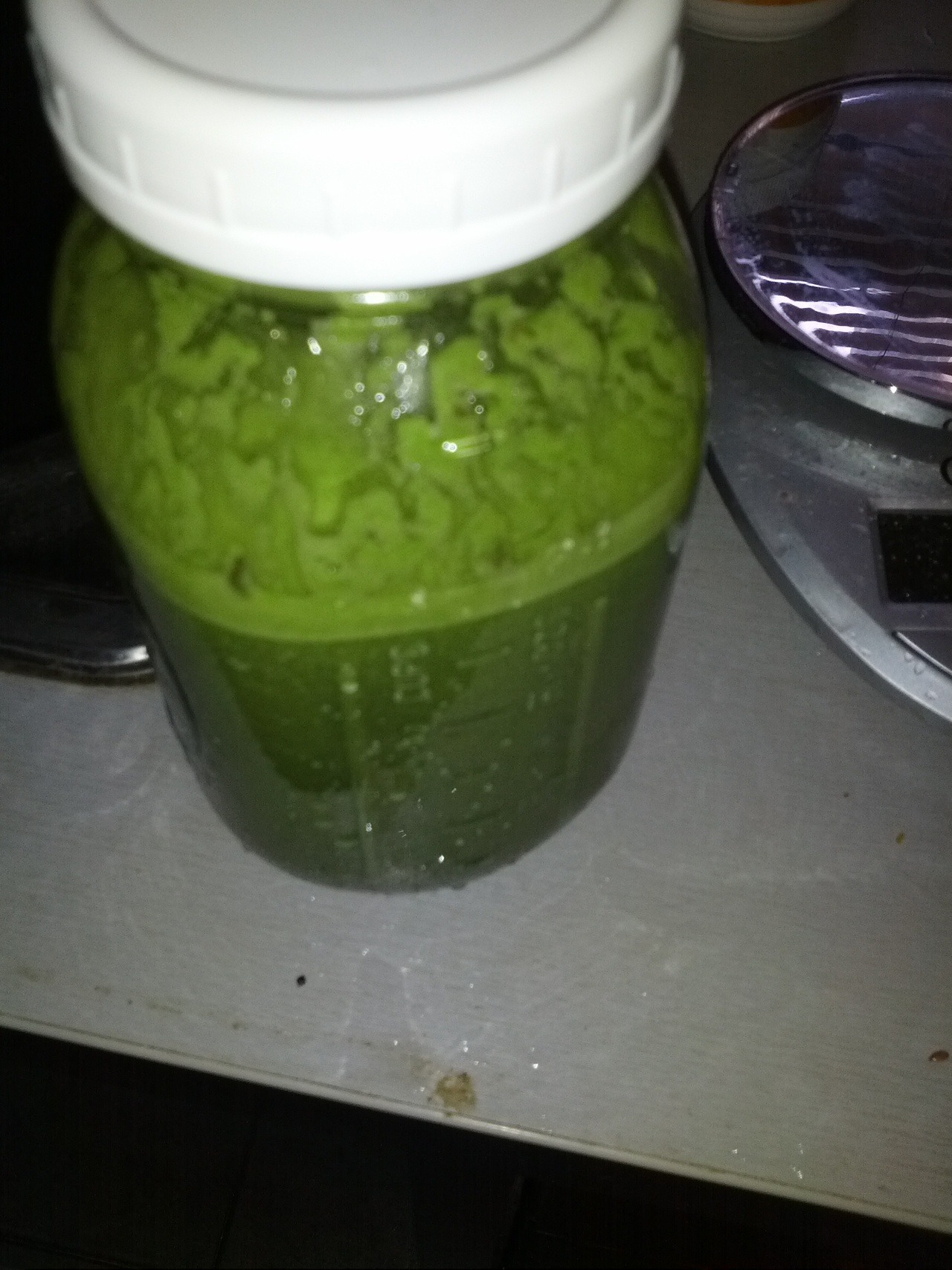
Jar of Green Smoothie

Earlier this week I created a tumblr blog – David Blends. There, I’m posting pictures of smoothies, soup, and other things that I make with my Vitamix blender. Every time I make something interesting in the Vitamix, I’ll post a picture and a brief description.

Over the summer, I participated in a smoothie cleanse and a 10 day green smoothie challenge during which time I had to drink at least one green smoothie a day and post a picture on facebook as proof. The 10 day green smoothie challenge was a great motivator. I’m hoping that publicly sharing my creations will also help me consume more green smoothies.

Part of my motivation was also to experiment with tumblr. I’d know of tumblr, of course, but hadn’t previously had a reason to use the service. So far, it seems like an excellent platform for posting images and commentary.

I may still have the occasional post here about blended creations. But unless something is especially interesting, I’m likely to post exclusively to the Tumblr.

Seeking Online Photo Sharing Recommendations

I’ve been using Picasa Web as my primary photo sharing service but I’m strongly thinking of moving somewhere else. My biggest complaint with Picasa is that uploading and organizing photos is too much of a hassle. My secondary complaint is that it doesn’t integrate well with facebook. However, moving to another service is a hassle and I want to make sure I pick the right one. So I’m turning to the Internet was advice. Here are my criteria:

Ease of uploading from Linux and Android

Linux support is one place where Picasa falls short. There is no native Linux client for Picasa. The Windows client runs under WINE but there are limitations. For example, the facebook plugin doesn’t work under WINE. Additionally the desktop client is heavier weight than I would like. The fact that the desktop program and the online service have the same name makes finding help on the online service difficult. When I Google for Picasa, most of the results concern the desktop program not the online service.

Organizational Flexibility

This is another place where Picasa is lacking. Picasa requires every photo to be in an album. Each album cannot contain more than 1000 photos. There is only limited support for having a photo in multiple albums. While you can copy or move a photo between albums, changes made to the photo in one album will not be reflected in other albums. The concept that an item only lives in a single location is an unfortunate holdover from the organization of physical objects. (See David Weinberger’s Google talk .)  GMail allows and encourages messages to be in folders. Why did Google design Picasa differently? I’ve only briefly used Flickr but its approach of placing all photos in a single stream and then allowing you to apply tags to them and/or assign them to sets seems like a better organizational model.

Binary Consistency

Part of the reason for storing photos online is to have a backup. I also want to see and want my friends to see the highest quality versions of my pictures. So I need a photo stored in the cloud to be an exact binary copy of the one on my camera.  I don’t want the site to do any compression or make any other changes to the photos. This is one place where Picasa delivers. It has an option to upload and retain the original binary version of the photo. Note this is also a place where facebook falls short. While facebook has started retaining higher resolution versions of images, it still stores nothing close to the original resolution.

Easy Semi-private Sharing

I want to be able to easily share photos with friends and family without them being publically visible. Picasa does this well. It will generate a special URL that can be pasted into an email to give the recipients access to a group of photos that are not publically visible. There is no need for the recipients to sign in or even have a Google account. Requiring people to sign up for a new account to view pictures is simply too high of a barrier.

Creative Commons Support

I license most of my pictures under the Creative Commons and I need a photo-sharing service that supports Creative Commons licensing. There should be a standardize, machine and search engine readable way to indicate that a Creative Commons license applies. Note: I want something more sophisticated than having to manually add a note to an image’s text description.

Searchability

I share my photo’s in the hope that they will be enjoyed and possibly reused. When I publicly share a photo under Creative Commons, I want it to be easy for others to find and use. These days, Google Images is the main way people search for images. Thus photos need to show up in Google Images under the relevant keywords. I imagine Picasa does a reasonably good job here since it’s run by Google. However, labeling and categorizing photos in Picasa is a hassle ( see above) so a site that has better support for labeling might do even better.

Facebook Integration

Facebook is the main way that people view and share photos these days. I don’t want facebook to be my only or primary means of sharing photos but I do want to be able to share my photos on facebook. I don’t want to have to upload photos from my hard drive to my primary photo sharing service and then to have to upload them again from my hard drive to facebook. Instead, I want a photo service that integrates well with facebook. There should be a way to directly copy images from the photo sharing service to facebook. I want the copied images to be fully integrated into facebook so that they can be commented on and tagged within facebook. I don’t want there to just be a link on facebook to another photo service with a note saying that I’ve uploaded new photos. On the other hand, it would be nice to have a link on facebook under the transferred image to the full resolution version at my primary photo sharing site.

Affordability

I’m willing to pay for quality online photo sharing that fulfills my requirements and makes my life easier. However, since I’m not a professional photographer the amount I’m willing to pay for hosting is limited. Picasa was a reasonably good deal offering 25 GB of space for $5 a year. This space is also split between other Google products such as GMail and Google Docs/Drive in case you somehow exceed your GMail quota. I’m will to send more than $5 but not more than $100.

Recommendations Welcome

At this point, my default choice is Flickr though a Gizmodo article (http://gizmodo.com/5910223/how-yahoo-killed-flickr-and-lost-the-internet) predicting its demise gives me pause. Furthermore, given the cost of switching, I don’t want to choose a service lightly. Any and all recommendation would be appreciated.
Pi-Con 2012

A couple of weeks ago, I had the pleasure of attending Pi-Con and serving as a panelist. Here’s a quick overview of the experience. On Friday, I was on a panel on the future of robotics with Judah Sher and Drew Van Zandt. One of the more interesting topics of the panel was stompy an 6 legged kickstarter funded robot being built by Artisan’s Asylum.

My next panel was on Google’s Project Glass augmented reality glasses. My co-panelist were Will Frank, Martin Owens, Jennifer Pelland, and Drew Van Zand. No one knows exactly what Project Glass will be since it’s still under development but we talked a lot about what augmented reality glasses could be and how it would change society. Privacy was certainly a concern but there were also a number of interesting ideas for about how augmented reality glasses could be used. One audience member suggested that the glasses could be connected to a heart rate monitor to automatically take pictures when you got excited. Another suggested was that the glasses would be constantly recording but normally only store the past 12 seconds. If a significant event happened, you could instruct the glasses to retain the previous 12 seconds and to continue recording. He described a similar system used by a trucking company. The drivers initially protested but they were cleared in accidents 90% of the time thanks to the video evidence.  Jennifer Pelland suggested the creation of virtual beer goggles — augmented reality glasses that would make the people around you look younger and more attractive in the same way that consuming large amounts of alcohol does. However, virtual beer goggles won’t impair your driving or give you a hangover the next day.

Other Events

 James L. Cambias gave a to talk on real airships that was so awesome, that I devoted an entire blog post to summarizing it. Susan de Guardiola taught a very enjoyable introduction to cross-step waltz. I also moderated panels on electronic warfare and steampunk costuming.


Conclusion

I missed the forced camaraderie of last years Pi-Con in which hurricane Irene effectively trapped us in the hotel and caused us to do a series of impomptu panels that we dubbed Hurricon. That said, this year’s Pi-Con was better attended. I attended fewer parties this year and was less social so that might account for my different perspective.

Pi-Con was a great experience as always. Sadly it will not be held next year because the convention staff need time to recover but I very much look forward to attending in 2014.

Real Steampunk Airships

Last weekend at the Pi-Con convention, James L. Cambias gave a fascinating talk on historical airships.  This is a summary based on my notes and my memory. DISCLAIMER: I MAY HAVE GOTTEN STUFF WRONG OR MISSED IMPORTANT POINTS. I’M NOT AN AEROSPACE ENGINEER AND DON’T CLAIM TO UNDERSTAND THE PHYSICS OF FLIGHT.

Airships are a staple of steampunk and speculative fiction. Their aesthetic is immensely appealing but their mechanisms are rarely discussed. Cambias’s talk was a refreshing and fascinating look at real historical airships and touched on the engineering challenges of lighter than air flight. For example, burning fuel changes your weight.

The historical highlights began with Henric Giffard (http://en.wikipedia.org/wiki/Henri_Giffard) who created the world’s first airship in 1852 and ended with Zeppelin and his creations in the twentieth century. Along the way, Cambias discussed other significant figures. Santos-Dumont was particularly interesting. He not only created a number of airship’s between 1898 and 1905 but he actually used them to fly around Paris. (Santos-Dumont eventually turned his attention away from airships to airplanes.)  La France created by French army captains Reynard & Krebs was also mentioned. It was the world’s first fully controllable flying machine and used an electric motor which drove it at 12 mph.

Cambias discussed some 19th century American attempts at airships. Dr. Andrews’s Aereon built in 1863 was documented in newspapers at the time. However, modern scientists say its design would not have worked. The speculation is that it functioned as a balloon rather than an airship and that the Andrews got lucky with the wind giving the illusion that the craft was steerable. Marriott’s Avitor was an airship that sadly never came to be. A prototype was built in California in 1869 and flew on a tether.  But, alas, a full sized version was never made. In the 1890’s, there were reports of a mystery airship in American newspapers. The stories even included reports of cows being stolen. In all likelihood this was an elaborate hoax started by bored telegraphy operators and perpetuated by newspapers that freely stole each others articles and cared little for the truth.


The Giffard dirigible

The Giffard dirigible
Source: http://en.wikipedia.org/wiki/File:Giffar…

A Healthy Homemade Ice Cream Replacement to Beat the Heat

It’s been hot this weekend and since I don’t have air conditioning in my apartment I need another way to keep cool. It is good weather for ice cream but ice cream is high in saturated fat and sugar so I made a healthier alternative using what I had on hand. A homemade fruit sorbet the perfect healthy ice cream replacement.

Here are the instructions if you want to make own.

Ingredients:

1 frozen banana
1 half fresh avocado
frozen tropical fruit mix
frozen mango
1 tbsp organic blue agave syrup

Equipment: High speed blender such as a vitamix.

First add the avocado, then add the frozen fruit, final finally add the agave syrup. Start blending on low and then increase the speed to 10 then to high. Using the tamper push down the fruit to blend it. Continue blending and pushing with the tamper until the desired consistency is achieved. Scoop out of the blender. The sorbet can be eaten immediately or stored until later.

One thing, I like about this recipe is that it lends itself to experimentation and adaptation. For example, I normally use ice but — perhaps because it was a hot day — the stores I went to had none left in stock. No problem, I simply made sure that I used plenty of frozen fruit.

Feel free to experiment but I recommend using bananas and avocado if possible. These help give the creamy consistency that makes this such a good ice cream replacement.


Disclaimer: I’ve only tested this recipe with a Vitamix. I don’t know how the recipe will work with another blender but if you try it please let me know how it goes. The recipe above is my creation but I’m not the first person to suggest using a blender to create a healthy ice cream replacement. Numerous other people have their own recipes. I’m sharing mine here because I hope it will be useful for those who are also looking for a healthy way to beat the heat.

Selling at the MIT Flea

Today I was a seller at the MIT Flea market. Here is a report on my experience. Warning: this was my first time at the Flea and my first time being a vendor in general so future MIT Flea’s may be different. The MIT Flea is held on the third Sunday of the month April through October. The event takes place at an outdoor parking lot on Albany street in Cambridge. As a seller, you drive to the lot and are directed to a parking space. There’s enough room to set up a table or two behind your car to display your wares. The Flea lets sellers start setting up at 7:00 AM but doesn’t open the doors to buyers until 9:00 AM. I got there at 8:45 but found that I had plenty of time to set up before the market officially opened. The Flea charges $20 to sellers and $5 to buyers.

My motivation for going to the Flea was to sell off things that I no longer needed in order to declutter my apartment. I hoped that the Flea would be a good way to sell off a large number of things at once. Ebay and Craigslist are great for selling individual items but don’t really benefit from selling multiple items simultaneously. In the language of economics, ebay and craigslist have lower fixed cost but higher marginal cost while selling at the Flea has higher fixed costs — the registration fee, the time and effort of schlepping there, etc — but lower marginal costs — it doesn’t cost anything to have another items on your table.

I ended up bringing a few high value items: a cell phone, an eReader, autographed celebrity photos, and a projector; and a number of low and medium value items such as an unopened video card and a CPU cooler. I sold most of the low and medium value items and pretty much sold everything that I was willing to let go for $1. Of the high value items, I only sold the eReader.

Part of attending an event like this is the learning experience. Here’s the some of the lessons I learned.

  • The crowd at the Flea likes to buy things cheaply. The gentleman next to me was selling two classic Macs to the 1980’s. His prices were well within the online price range for collectible Mac computers (~$500). Although, many people stopped to admire them, no one purchased the computers. I couldn’t help but think that the crowd at the Flea are not the type to purchase expensive collectibles. But he was undeterred and plans to return next month to try again.
  • Some people haggle aggressively and obnoxiously. I priced the cell phone based on eBay and Craigslist listings. Some people offered a lot less than those values and most of the time that was no big deal. I simply explained that even with eBay and Paypal, I could make more selling online than what they were offering.  However, a few people didn’t want to take no for an answer to kept insisting I sell it for a lower price. One gentleman even throw some cash on the table and practically demanded that I accept his offer even though I had already told him that he was offering $40 less than the going price on eBay.
  • Be prepared for the heat and sun. The Flea takes place in an above ground lot with no trees. Even if it’s not a warm day, the constant sun can get intense. I had SPF 15 sunblock which was better than nothing but not enough. If I go again, I’ll wear a hat or have an umbrella set up at my table like some the veteran Flea attendees.
  • Bring food and liquids. Vending for an entire day takes a lot of energy so make sure you’re well nourished. Bring a snack or light lunch and plenty of water. There was only one food vendor and their items were limited to chips, grilled food, soda, and bottled water. I had to walk off site just to get some reasonably healthy food to make it through the day. (There are portable bathrooms so didn’t worry about limiting your liquids.)
  • Get there early and leave early. The Flea is busiest right after it opens at 9:00. New people come throughout the morning but by 12:00 things are relatively dead. Although the Flea is open until 2:00, I wouldn’t recommend staying much after 12:00. After the morning, I got few visitors and had no sales.
  • Carefully decide which weekends you want to attend the Flea. The word that I got was that the most active Flea’s are the first one (in April) and the last one (in October). The September Flea was said to be the third most active. Although the weather was excellent, I was told that the Flea I went to was comparatively poorly attended. It was also Fathers’ day which may have been part of the problem.
  • Have plastic bags. A number of people asked for plastic bags to hold their purchases. If you have a bunch of grocery store bags at home bring them along. Your customers will appreciate it and you’ll be able to rid yourself of some of the bags.


I haven’t attempted to explicitly calculated a return on investment from vending at the Flea but I didn’t think that it would seem like an impressive amount given that it took 5+ hours of my time. That said, I sold enough to more than cover the cost of my vendor’s fee and the process was kind of fun. With the exception of the few overly aggressive hagglers mentioned above, the people I encountered as both buyers and sellers were friendly and interesting. My goal had been largely to declutter and although I was not particularly successful selling my high value items, I did manage to sell off a box worth of stuff that had just been taking up space. There’s also something nice about selling something to someone who really appreciates it even if you’re only getting a $1 for it.

Uploading to the Cloud by Email

This post is about a problem and a solution.

I’m trying to go digital and replace my paper documents with digital ones. I have access to a fast scanner with an auto-document feeder but unfortunately essentially the only way that I’m able to get document off the scanner is by using scan to email. For a while, I had documents spent to my gmail. But that was suboptimal for a number of reasons. Firstly, it cluttered my inbox. Disk space was less of a concern here than clutter in general. Secondly, finding files was difficult since the scanner generated emails with identical subjects, no body text, and PDF file attachments with auto-generated names. Finally getting files out of gmail can be a hassle especially if they are spread out over many different messages.

Thankfully I found a solution that enables me to have the files stored directly in a cloud storage drive.

I signed up for a Dropbox account and then used the third party service sendtodropbox.com to facilitate email uploads. sendtodrop.com is a great little service. It gives you a special email address and then uploads any attachments sent to it to your  Dropbox. It also has a number of special features such as allowing the folder location to be automatically determined based on sender or date.

Now, I simply have the scanner scan documents and upload them to this address and voila they’re conveniently stored in Dropbox.

Alternatives:

SugarSync and Box.net have email uploading built in so there is no need to use a third party service. However, I decided to go with  Dropbox despite this. SugarSync does not have a Linux client and I knew this would end of driving me crazy since Ubuntu is my primary OS. The free versions of Box.net seemed to be overly limited and the paid versions were expensive. Finally, I just wanted to try  Dropbox since I’ve known many people who use it and I wanted to see what all the fuss was about.

Credits:
Finding this solution took a lot of Googling but the following articles were hopeful.

http://www.makeuseof.com/tag/5-ways-send-files-dropbox-dropbox/
http://www.codingbeaver.com/myblog/index.php/2011/12/09/sugarsync-vs-dropbox-vs-spideroak-which-should-i-choose/
http://gizmodo.com/5828035/the-best-way-to-store-stuff-in-the-cloud